
3in1 Quiz: Logo Quiz and More
VnS Game StudioTrivia
4.457.00 Reviews
- Version
- 2.4.1
- Installs
- 1.00M
- Age Rating
- Everyone
Screenshots
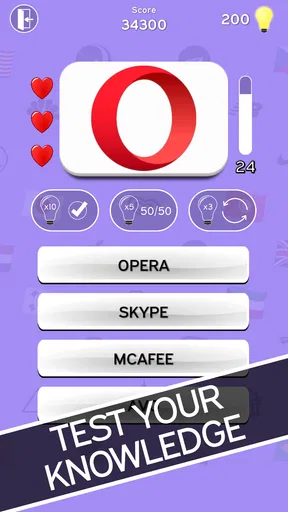
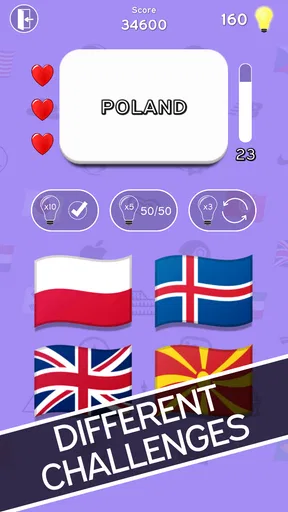
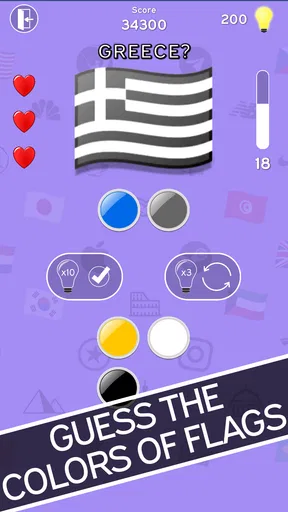
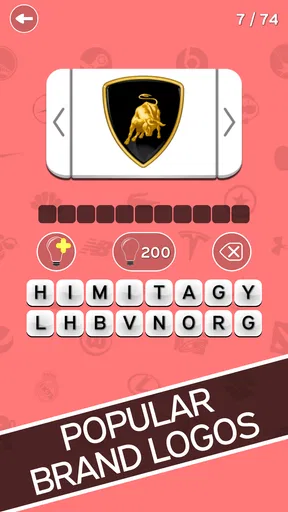
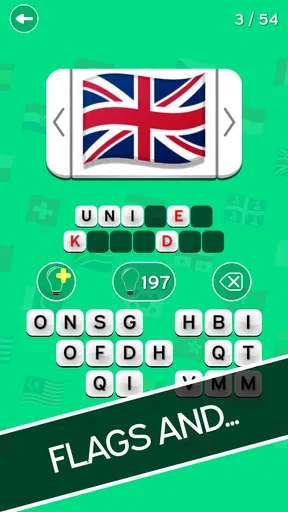
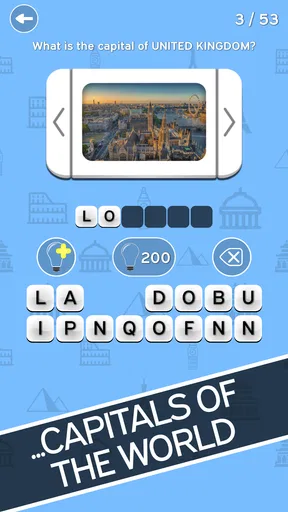
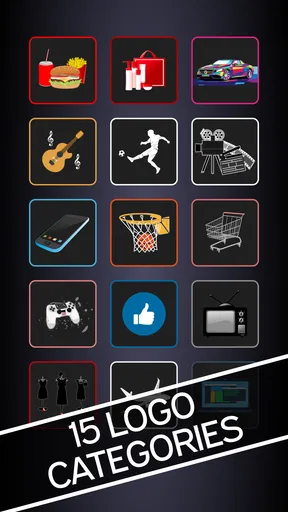
Our Review of 3in1 Quiz: Logo Quiz and More
 Analysis by Appyee
When I want a quick game that works for more than one person, I usually look for something that does not require a long explanation or a serious time commitment. 3in1 Quiz: Logo Quiz and More fits that mood well. It is a free trivia game from VnS Game Studio built around three familiar knowledge challenges: identifying logos, recognizing flags, and matching capitals with their countries. I found the concept easy to understand within moments, which makes it especially suitable for a shared phone or tablet passed around during a quiet evening.
The appeal is not really about creating a huge, complicated game world. It is about turning everyday knowledge into short rounds of discussion. One person may recognize a logo immediately, another may know the flag, and someone else may remember a capital from school. That mix gives the game a useful social quality, even though the experience is still simple enough to play alone. My overall impression is positive, but I would recommend it with realistic expectations: this is a lightweight quiz title, not a deep competitive platform or a complete geography course.
How the three quiz themes work in everyday use
The three-part design gives the game more variety than a single-topic quiz. Logo questions draw on visual memory and brand familiarity. Flag questions lean more toward geography and pattern recognition, while capital questions test recall in a more direct way. Moving between those subjects helps prevent the experience from feeling completely repetitive, particularly when I play for a few minutes rather than trying to make a long session out of it.
That variety also changes who has the advantage. A person who is good at recognizing commercial symbols may struggle with capitals, while somebody interested in countries may perform better on flags and geography. In a household, this creates a natural reason to take turns instead of allowing the same player to dominate every round. I like that balance because it makes the game easier to share with people of different interests.
A realistic use case is a family waiting for food at a restaurant or sitting together after dinner. One person can hold the device, read the question aloud, and let everyone suggest an answer before selecting it. The game does not need a separate explanation of complicated controls. That low barrier matters when the players include someone who rarely plays mobile games. It also makes the title useful as a short conversation starter rather than something that demands everyone’s full attention.
For solo play, I would treat it as a casual memory workout. I can use the logo section when I want something familiar, then switch to flags or capitals when I want a more educational challenge. The change of subject gives me a simple way to adjust the difficulty I feel I am facing, even though the game itself is not presented as a formal learning tool.
Why the shared-device format can work
The strongest household feature is not a special family system; it is the fact that the basic idea is immediately understandable. A parent, child, sibling, or friend can join in without creating a complicated plan. The device can simply move from one player to the next, with the group agreeing on an answer before the person holding it taps.
That said, a shared device also creates a boundary that players need to manage themselves. If several people are answering together, the person with the phone should avoid revealing the result too quickly. A useful routine is to have one player read the prompt, count down, and let everybody answer before the screen moves on. This keeps the quiz from becoming a test of who can grab the device first.
I also found that the three subjects are better treated as separate turns than as one continuous contest. For example, a household could begin with logos, switch to flags, and finish with capitals. That informal structure gives each participant a chance to choose a preferred area. It is a small adjustment, but it makes the game feel more cooperative and avoids an argument over whose knowledge matters most.
There is another practical benefit to short quiz rounds: the game can fit around ordinary interruptions. If somebody needs to answer a call, prepare food, or leave the room, the group has not committed to a long match. This is where the title compares favorably with more elaborate trivia alternatives that may depend on synchronized players, accounts, or a fixed session structure. Here, the shared-device approach is more flexible, even if it is less sophisticated.
Setup expectations and sensible boundaries
Because the game is free, the first decision is easy for a household: it can be tried without paying for access. The store information lists optional in-app purchases ranging from $0.99 to $89.99 per item, so I would not hand the device to a child and assume that “free” means there are no purchase considerations. The safest approach is to agree in advance that nobody buys anything during a casual family session unless an adult has approved it.
This is not an accusation against the game; it is simply good shared-device practice. A phone used by several people often mixes personal and family activities, and a younger player may not understand that an on-screen purchase has real consequences. I would keep payment approval with the device owner and make the rule clear before play begins. That boundary is more important than any small convenience a purchase might offer.
The game is listed for devices running Android 6.0 or later, which covers many older Android phones and tablets. Still, compatibility should be considered in the context of the actual household device. An older phone may be perfectly adequate for a quiz but less comfortable for a group gathered around a small screen. If several people are expected to read flags or logo details together, a tablet-sized display may be more pleasant than a compact handset.
The current version is 2.4.1. I would check that the device is updated before starting a shared session, not because the game requires a complicated setup, but because keeping the same version can reduce confusion when different household members use the app at different times. I also prefer trying the game privately first, so I know how the questions are presented and can decide whether the screen is readable enough for the intended players.
One boundary I would set is around answer discussion. The game works best when people explain why they think an answer is correct, but the device holder should not turn every question into a debate that delays the next one. A simple rule such as “one guess each, then reveal” keeps the experience moving. This is particularly helpful with capitals, where one person may be certain while another remembers a different country from a similar lesson.
Coordinating different ages and confidence levels
The age rating is Everyone, which makes the game broadly approachable for a household setting. That does not mean every question will feel equally easy to every player. Familiar logos can depend on personal experience, and capital questions may favor people who have studied geography recently. I would therefore avoid presenting the score as a measure of intelligence, especially when younger and older players are competing together.
A better arrangement is to rotate the categories. Let one person choose logos, another choose flags, and another choose capitals. This gives players some control over the kind of challenge they face and helps prevent a child from feeling lost if the group spends too long on advanced geography recall. It also gives adults a chance to admit when they do not know an answer, which makes the activity feel less like a test.
For younger players, I would use the questions as prompts for conversation rather than simply marking answers right or wrong. A flag can lead to a discussion about colors and shapes, while a capital question can become a small geography lesson. The game itself should not be mistaken for a structured educational curriculum, but it can provide useful moments of recall and curiosity when an adult fills in the context.
Trust matters in a shared-device game as well. If the phone belongs to one person, everyone should understand who is allowed to change settings, make purchases, or leave the session. The title is simple enough that this coordination can remain verbal. There is no need to invent a family account arrangement around it; the practical solution is simply to keep the device owner involved and make the rules visible to everyone using the screen.
I would also avoid using the game as a forced learning exercise. A child who enjoys flags may happily play several rounds, while the same child may lose interest when capitals appear. The three themes make it possible to find an entry point, but they do not guarantee that every section will suit every player. In my view, the best household sessions allow people to stop, switch topics, or return later without treating the game like homework.
What the rating and audience suggest
The game has an average rating of 4.4 from around 5.6 thousand ratings, and it has passed one million installs. Those figures suggest that the straightforward format has found a sizable audience, but I would not use popularity as a substitute for checking whether the style suits your household. Someone looking for fast, recognizable quiz subjects may enjoy it immediately; someone expecting live multiplayer, detailed explanations, or a formal progression system may find it limited.
Its Everyone age classification is a useful starting point for families, but adults should still guide younger players around purchases and screen habits. An age label describes the general content suitability; it does not decide how long a child should play or how a household should share a device. In practical terms, I see this as a game that can sit comfortably in a family app collection when an adult remains responsible for the phone or tablet.
The developer, VnS Game Studio, has chosen a concept that is easy to communicate without relying on a complicated premise. That clarity is one of the game’s strengths. The trade-off is that players who have already spent a lot of time with logo, flag, or capital quizzes may want more depth than this compact format offers. Its value comes from accessibility and variety, not from building a large personal knowledge system.
There is also a difference between playing with trusted people and playing in a public competitive environment. This title makes more sense to me as a private household activity or solo time than as a serious way to compare skill with strangers. If your priority is a global leaderboard, live opponents, or a persistent player identity, a dedicated multiplayer trivia game would probably be a better choice. If your priority is passing a phone around without much preparation, this one is more convenient.
Small strategies that improve the experience
My first practical tip is to separate recognition from recall. When a logo appears, say what visual detail triggered your guess. With flags, describe the colors or layout before naming a country. With capitals, say the country you associate with the answer. This turns a fast tap-through activity into a memory exercise and makes wrong answers more useful.
My second tip is to keep a simple household score only if everyone agrees that it is fun. Because the categories favor different kinds of knowledge, a single total can exaggerate one player’s advantage. A more balanced approach is to record who won each category, or to give one point for a correct answer and another for a good explanation. That makes the session less dependent on one person’s strongest subject.
A third useful approach is to use the game as a warm-up rather than the main event. Ten minutes before a family trip, a classroom-style discussion, or a geography activity can help people recall names and symbols. I would not rely on it to teach every capital or explain every flag, but it can reveal which topics people already know and which ones deserve a follow-up conversation.
There is a trade-off here: discussing every answer makes the game more social, but it also slows the pace. If the group wants quick entertainment, keep explanations short. If the group includes a curious child or somebody studying geography, pause more often. The same app can serve both purposes, but the players have to choose the rhythm themselves.
I would also recommend switching categories when frustration appears. A difficult run of capitals can make the game feel harsher than it really is, while a familiar logo round can restore confidence. Since the title combines three subjects, there is no reason to stay in the least enjoyable section. That flexibility is one of the more useful consequences of the three-in-one design.
Where it falls short compared with other trivia choices
Compared with a single-topic geography app, this game is broader but likely less focused. Flags and capitals are present alongside logos, so a user who wants systematic country study may prefer an educational tool organized around lessons, maps, explanations, or revision goals. This title is better for recall and casual testing than for building a carefully ordered study plan.
Compared with a large live trivia platform, it is more suitable for a quiet shared device but less suited to social competition at scale. There is a real difference between four people shouting answers around one phone and a game designed around online opponents, rankings, or scheduled matches. I prefer this title when convenience matters more than competitive infrastructure.
Compared with a logo-only quiz, the three categories give me more reasons to return, but they may also dilute the appeal for somebody who only wants brand recognition. A dedicated logo game can feel more concentrated, while this one asks the player to move between commercial symbols and geography. That is a strength for mixed households and a weakness for specialists.
The purchase range is another reason I would approach it thoughtfully. Since the game is free to start but includes optional items, I would not describe it as a completely unrestricted family toy. The right choice depends on how comfortable the device owner is with purchases and whether the household has a clear approval routine. For adults playing alone, this is usually a straightforward decision; for children sharing a parent’s phone, it deserves more attention.
Finally, the lightweight format may not satisfy somebody who wants detailed feedback after every answer. I enjoy a quiz more when it helps me understand why I was wrong, not only whether I was wrong. If explanations, lessons, or long-term progress tracking are essential to you, another category of app may be more rewarding. Here, the main pleasure is the quick challenge and the conversation around it.
Who should install it, and who should skip it
I would suggest this game to households that want an easy activity for mixed ages, friends who enjoy testing one another, and solo players who like short trivia sessions. It is especially appealing when nobody wants to create accounts, organize a tournament, or learn complex controls. The combination of logos, flags, and capitals gives different players a chance to contribute.
I would be more cautious about recommending it to someone seeking a serious educational resource. It can support curiosity and memory, but I would pair it with a more structured geography reference if the goal is reliable study. I would also point serious trivia competitors toward a title with stronger multiplayer systems, rankings, or deeper question explanations.
For a shared device, the best fit is a household that can agree on simple rules: take turns, answer before revealing the result, and leave purchases to the owner. Those boundaries are not built into the recommendation; they are part of using any free game responsibly when several people have access to one phone or tablet.
My household verdict
After looking at the game as both a solo quiz and a shared activity, I see its main strength clearly: it creates an easy reason for people to talk, guess, and compare different kinds of knowledge. The logo, flag, and capital themes are familiar enough to invite participation, yet distinct enough to stop every round from feeling identical. That makes it a sensible free download for casual household use.
My reservations are equally clear. It should not be confused with a full learning program or a serious online trivia arena, and the optional purchase range means adults should keep control of spending on a shared device. Players may also find the experience too simple if they want extensive explanations or a strong sense of long-term progression.
Still, for the right situation, I would recommend it to a friend. If you need a quick game for a waiting room, a family evening, or a few spare minutes alone, this trivia title is approachable and flexible. I would start with a short session, rotate the three categories, and see whether the group enjoys the conversation as much as the answers. Its best role is a low-pressure shared quiz, not a replacement for a dedicated study or competitive trivia app.
Verdict
Strengths of 3in1 Quiz: Logo Quiz and More
- Combines logo, trivia, and general knowledge quizzes in one app.
- Short rounds make it easy to play during quick breaks.
- Wide range of topics helps keep the gameplay varied.
- Simple controls are suitable for players of different ages.
- Progress-based challenges can encourage regular play.
Limitations of 3in1 Quiz: Logo Quiz and More
- Some questions may feel repetitive after extended play.
- Difficulty can vary noticeably between quiz categories.
- Hints or extra attempts may be limited without in-app purchases.
- An internet connection may be needed for certain features.
- Ads can interrupt the experience between quiz rounds.
Similar Picks in This Category
View All
Millionaire 2026 Quiz & Trivia
Quiz & Trivia Games by Submarine Apps4.5

Brain Test 2: Tricky Stories
Unico Studio4.7

Trivia Crack: Brain Quiz Games
etermax4.4

QuizzLand. Quiz & Trivia game
Quiz & Trivia Games by Mno Go Apps4.8

Brain Test: Tricky Puzzles
Unico Studio4.7

Logo Quiz
bubble quiz games4.5
Frequently Asked Questions
What is 3in1 Quiz: Logo Quiz and More?
3in1 Quiz: Logo Quiz and More is a casual trivia game that combines several quiz formats in one app. Its main focus is recognizing brand logos, but it also includes additional question categories and challenges designed to test general knowledge, visual memory, and quick thinking. The game is suitable for short sessions and can appeal to both casual players and quiz fans.
How does the gameplay work in 3in1 Quiz: Logo Quiz and More?
Gameplay is based on answering questions or identifying images before moving to the next challenge. In the logo section, you usually examine a partially hidden or recognizable brand symbol and select or type the correct answer. The other quiz modes may use different question styles, so the experience feels more varied than a standard logo-only game. Progress generally depends on accuracy and available hints.
Is 3in1 Quiz: Logo Quiz and More free to download and play?
The app can generally be downloaded without an upfront purchase, allowing users to try its main quiz content at no initial cost. However, free quiz games may include advertising, optional hint purchases, or other in-app features. Before downloading, it is worth checking the current store listing for pricing details, supported purchases, and whether certain levels or modes require additional payment.
Does the game require an internet connection?
Some parts of 3in1 Quiz: Logo Quiz and More may work offline once the necessary content has loaded, which is convenient for travel or playing without mobile data. Nevertheless, an internet connection can be needed for advertisements, updates, analytics, cloud-related features, or restoring purchases. Availability may also depend on the version installed and the device’s operating system.
Who should download 3in1 Quiz: Logo Quiz and More?
This game is a good choice for players who enjoy brand recognition, general trivia, and simple puzzle challenges that can be completed in a few minutes. It is easy to pick up and does not demand advanced gaming skills, making it suitable for families and casual users. Players who dislike advertisements, repetitive questions, or hint-based progression should review the app’s current features before installing.
Play our best games!


